Booking train tickets in China
Book directly with China Railway through 12306, or use Trip.com for booking and customer support in English. With 12306, complete passport verification before booking; with Trip.com, check service fees and its change and refund terms.
12306 and Trip.com compared
12306 official app
Book directly with China Railway.
Buy tickets, make changes, and request refunds through the official railway channel.
Before you choose: Passport real-name verification and payment setup can take extra time.
Trip.com
Booking with customer support in English.
Book in English with foreign card support and customer service.
Before you choose: Service fees may apply, and changes or refunds go through the platform rules.
Need a backup? A railway station counter can help with in-person booking. A hotel or travel agency may also help, but additional fees may apply.
Railway rules: official 12306 FAQ. Sources last checked July 13, 2026.
For festival dates and national holiday breaks, see the China public holidays guide.
Set up a 12306 account
Follow the mobile app walkthrough below, from switching to English to verifying your passport. You can also register on the 12306 English website.
Before you start
Have your passport and access to your email ready. Search for "12306" in your app store and use the latest version.
This walkthrough is for foreign passport holders. For a Chinese ID or a Hong Kong, Macau, or Taiwan travel permit, use the Chinese interface.
Switch to English
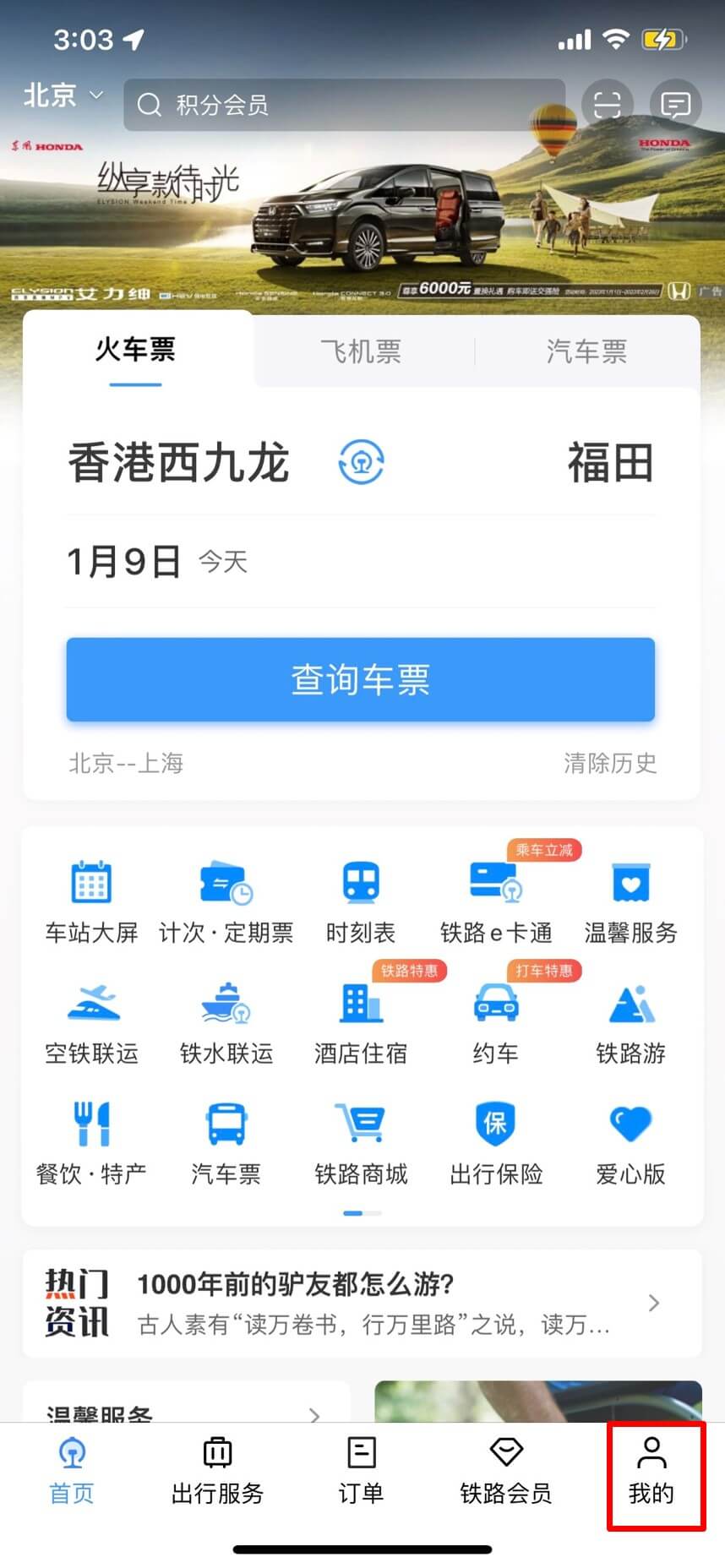
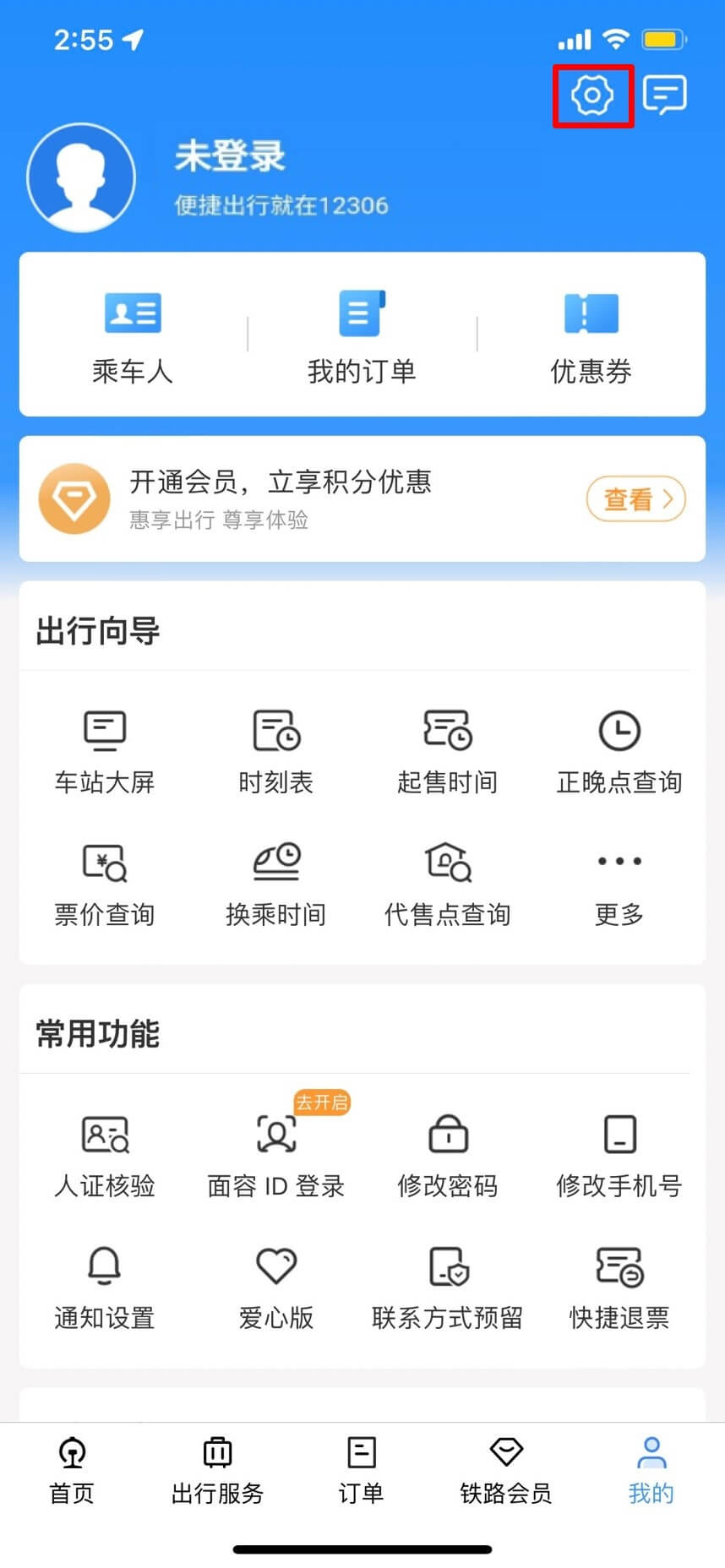
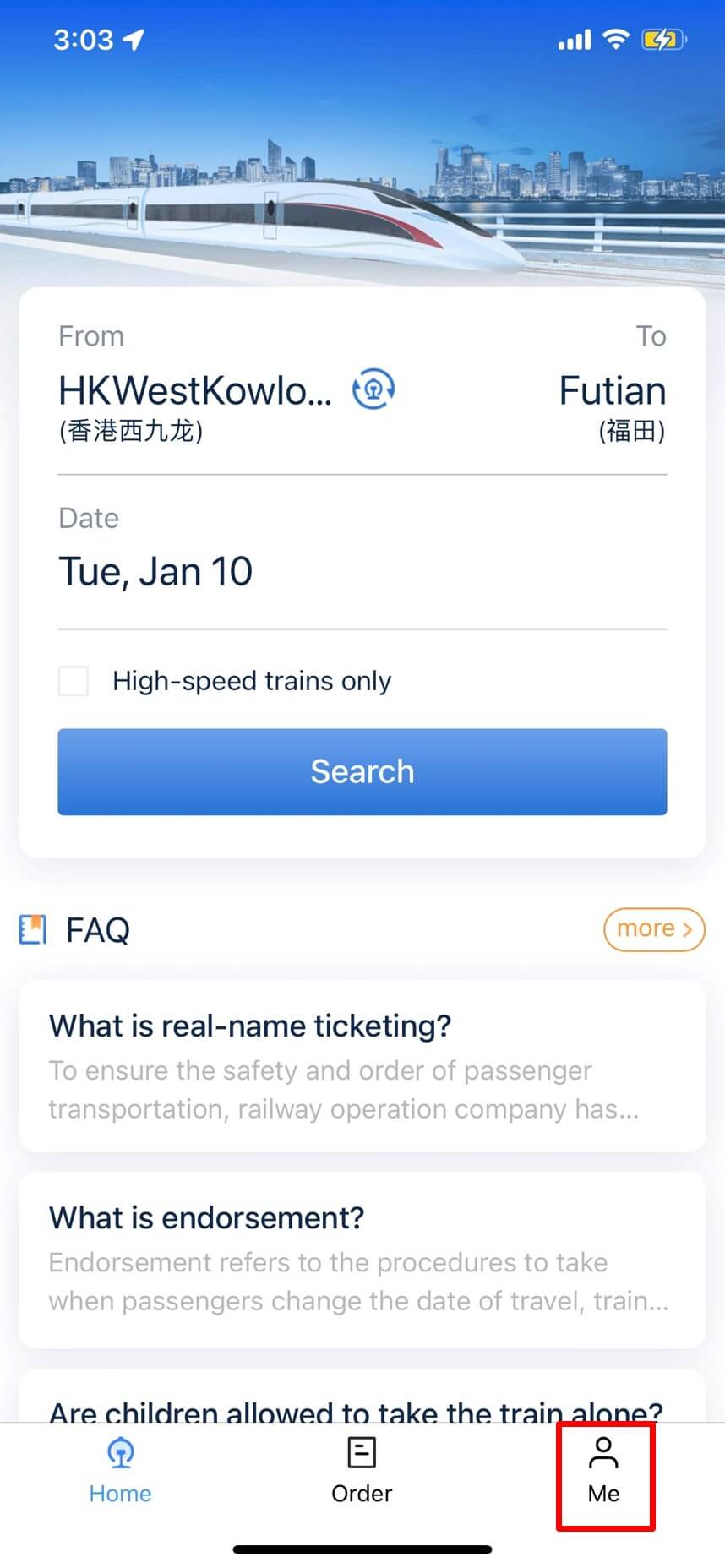
The mobile app defaults to Simplified Chinese. To change the language, click the "我的" (My) icon at the bottom right corner of the app. Then, click the "Set up" icon at the top right corner.
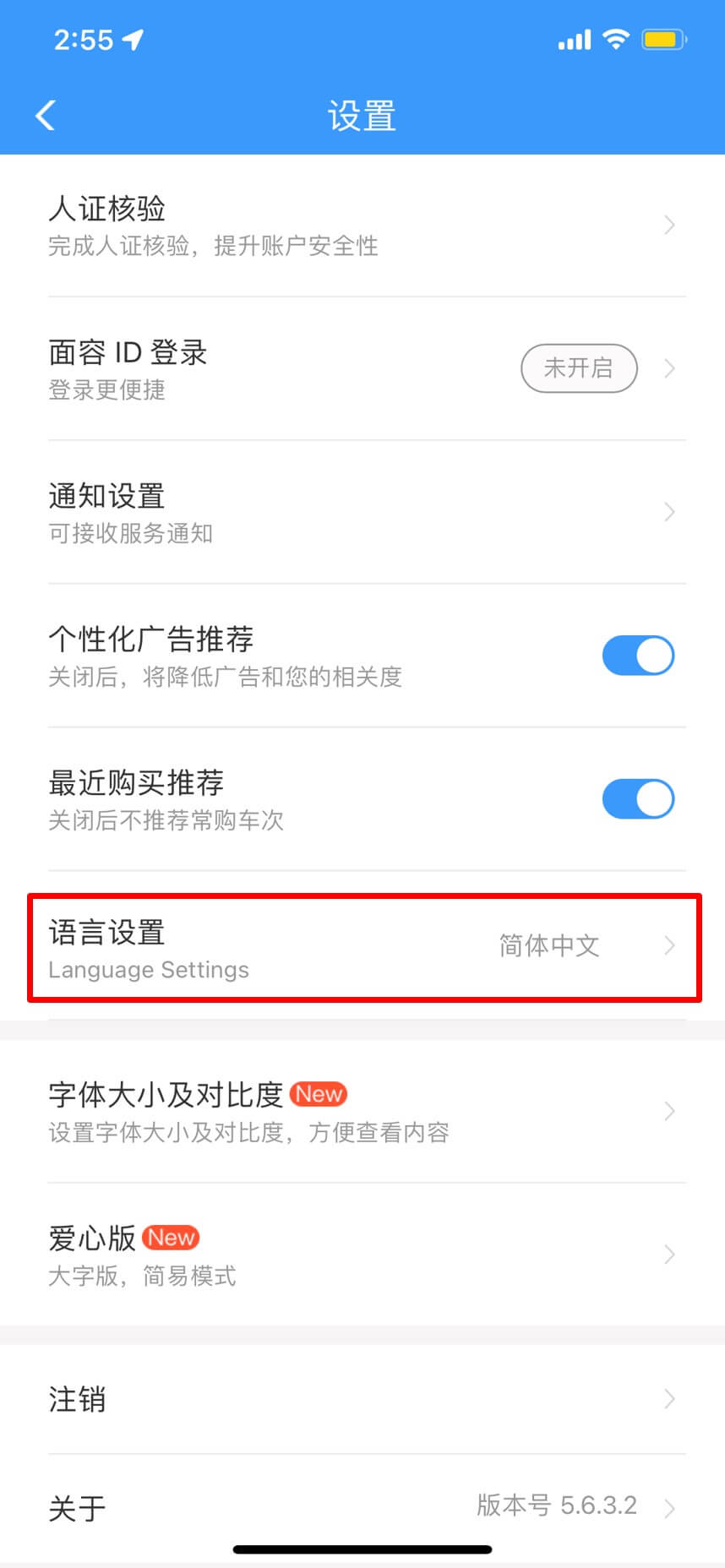
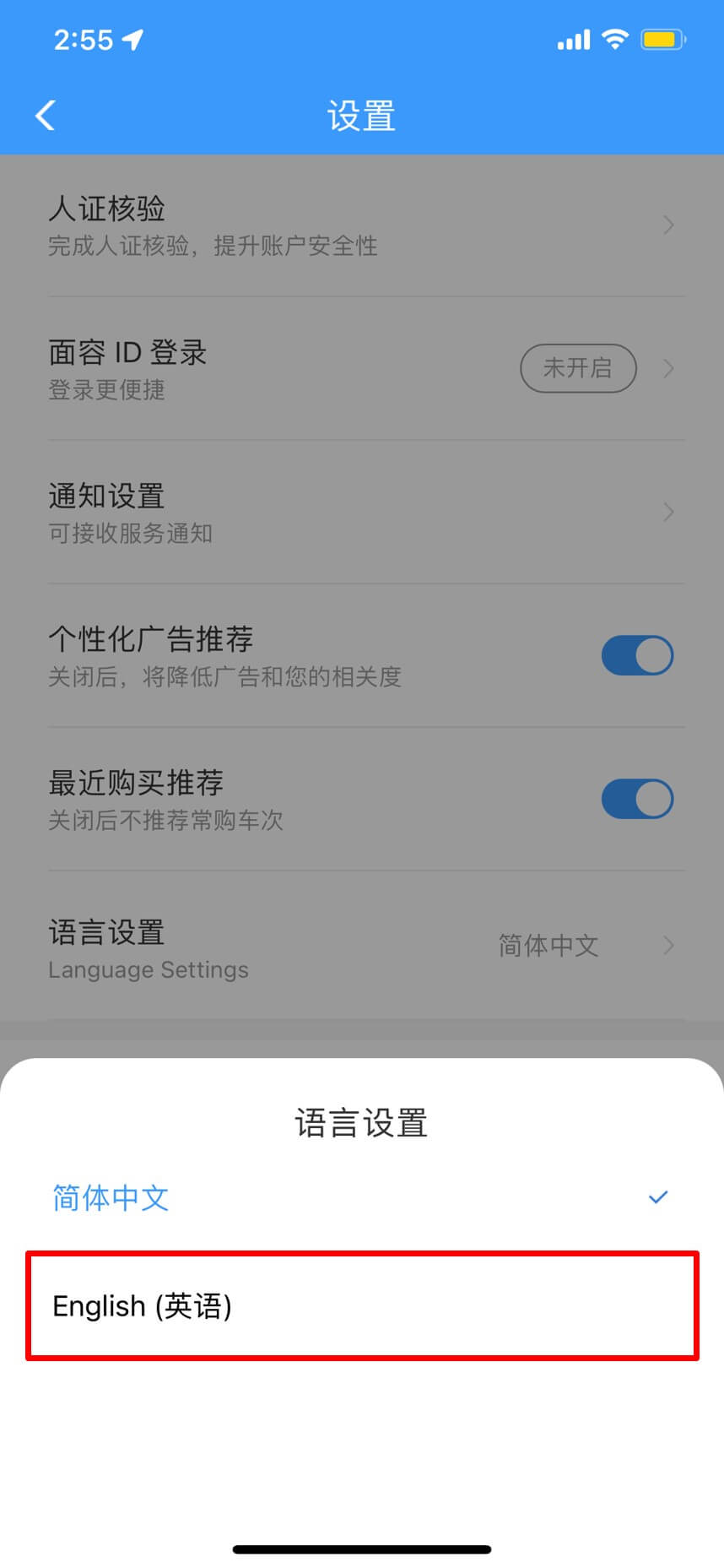
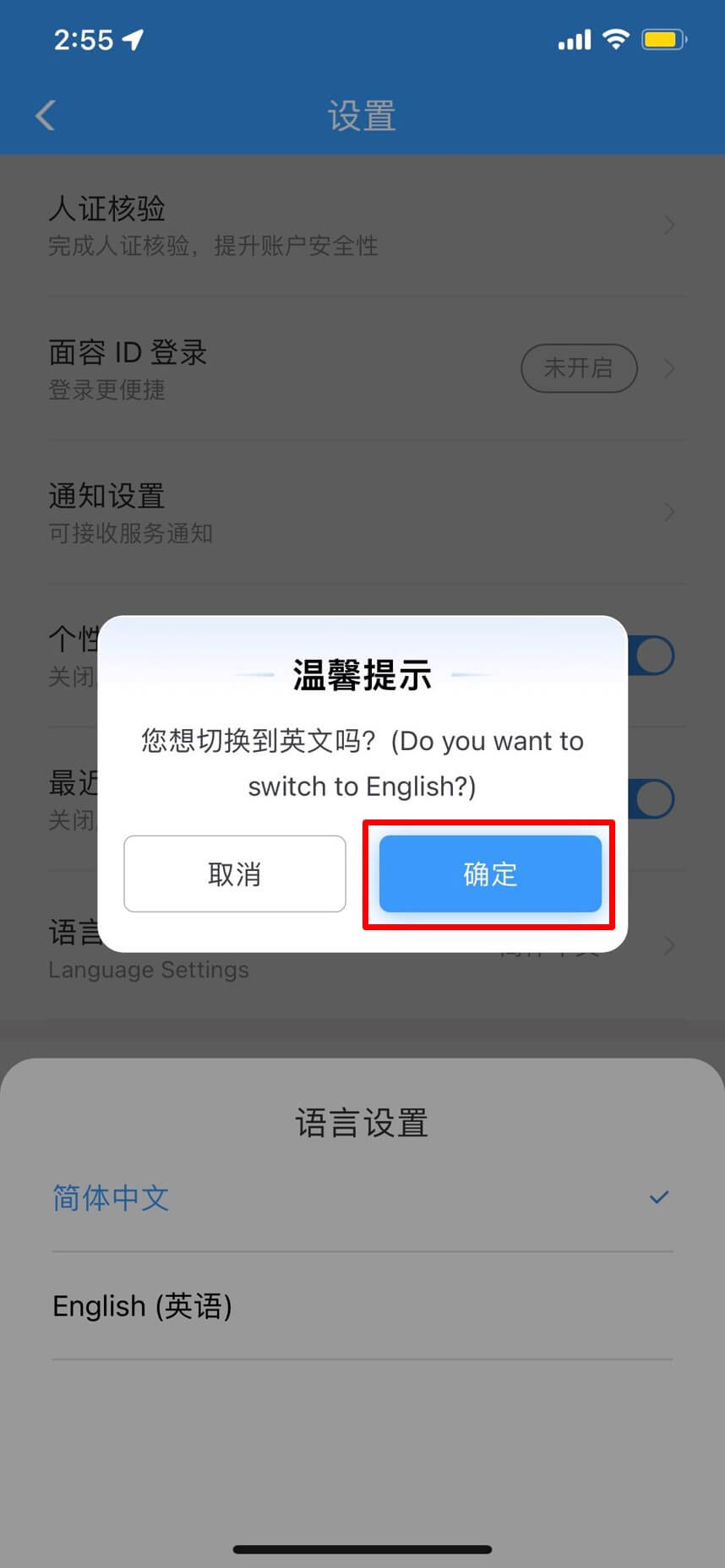
Click "Language Settings" and then choose "English".
Click "确定" (Confirm) to proceed.
1Create your account
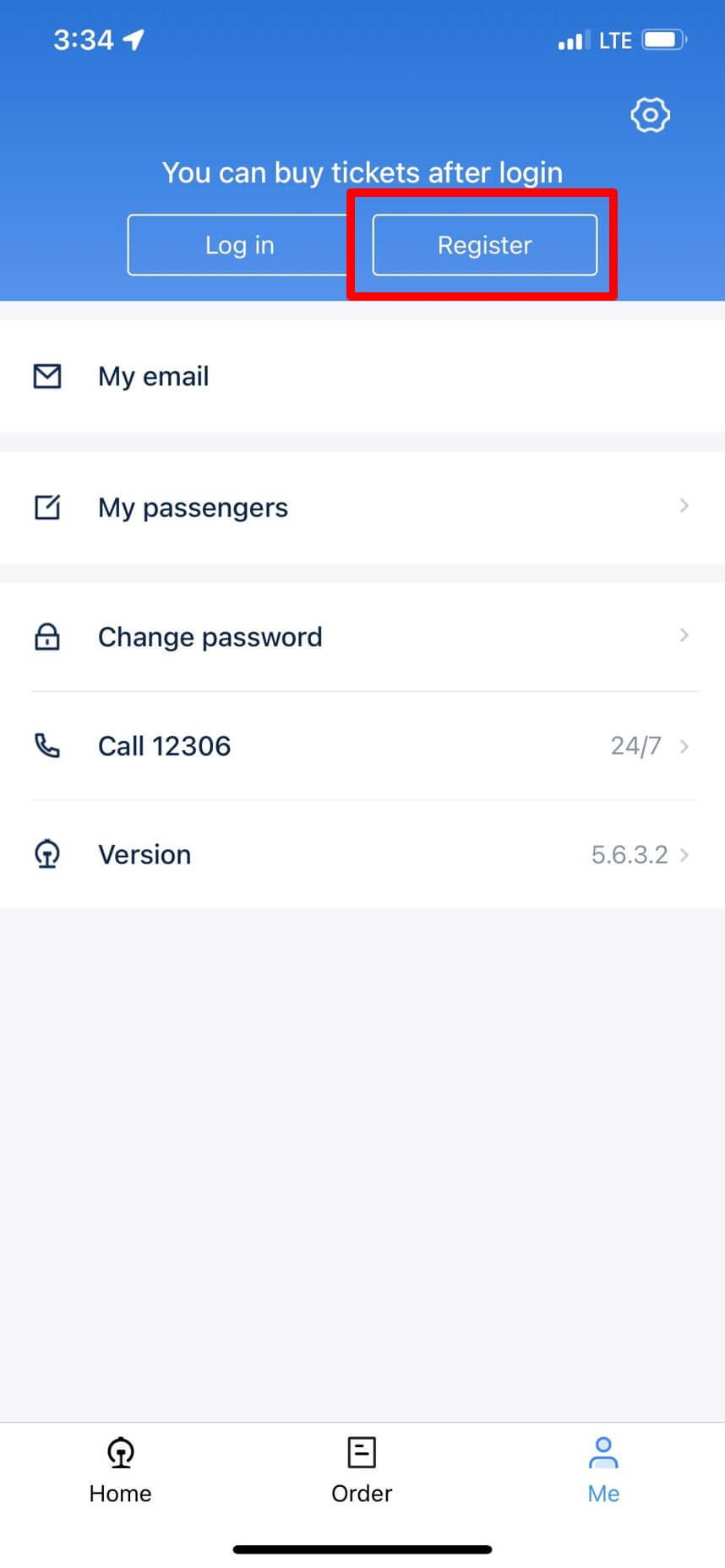
Tap "Me" at the bottom right, then select "Register".
2Enter your passport details
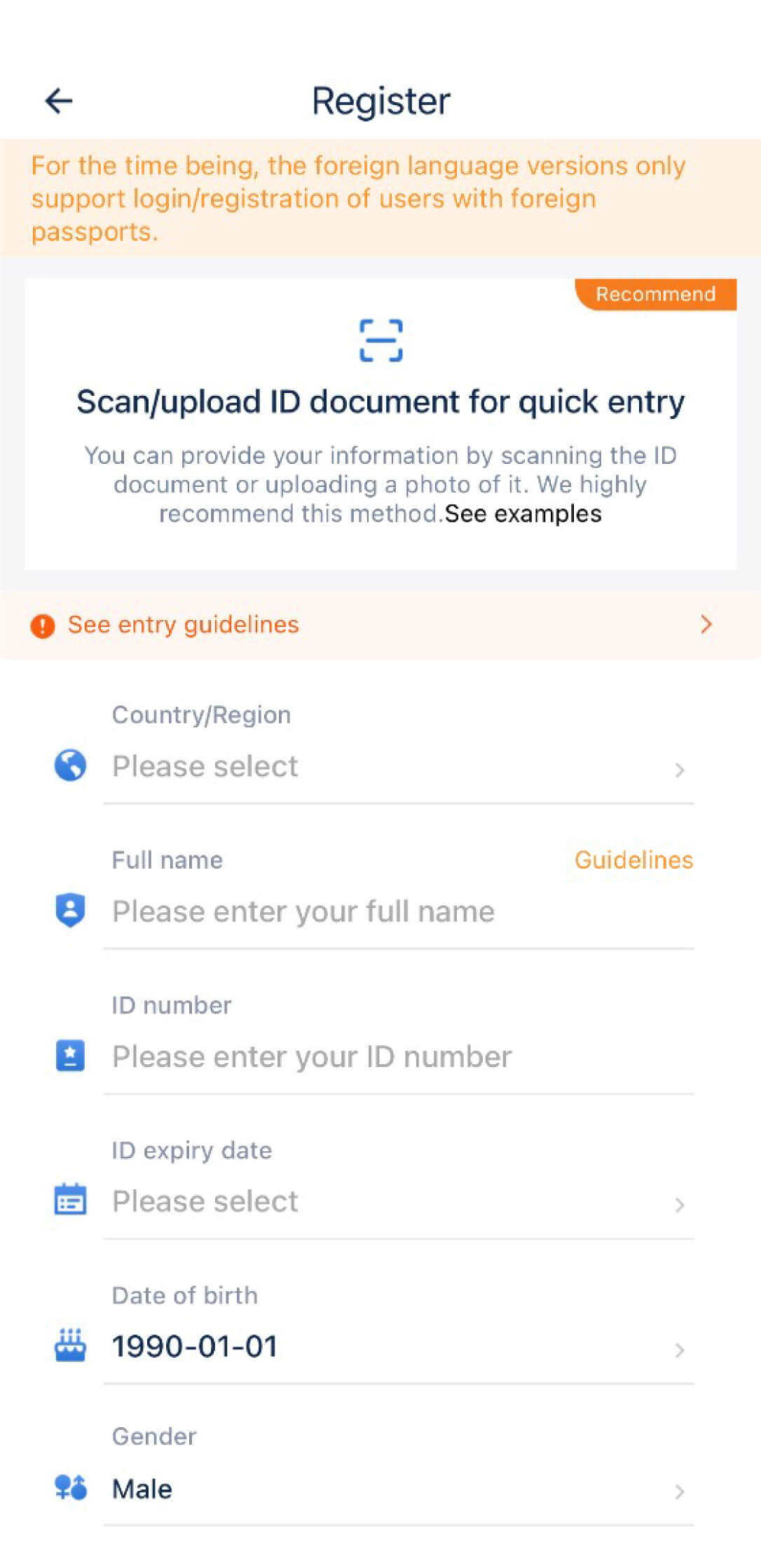
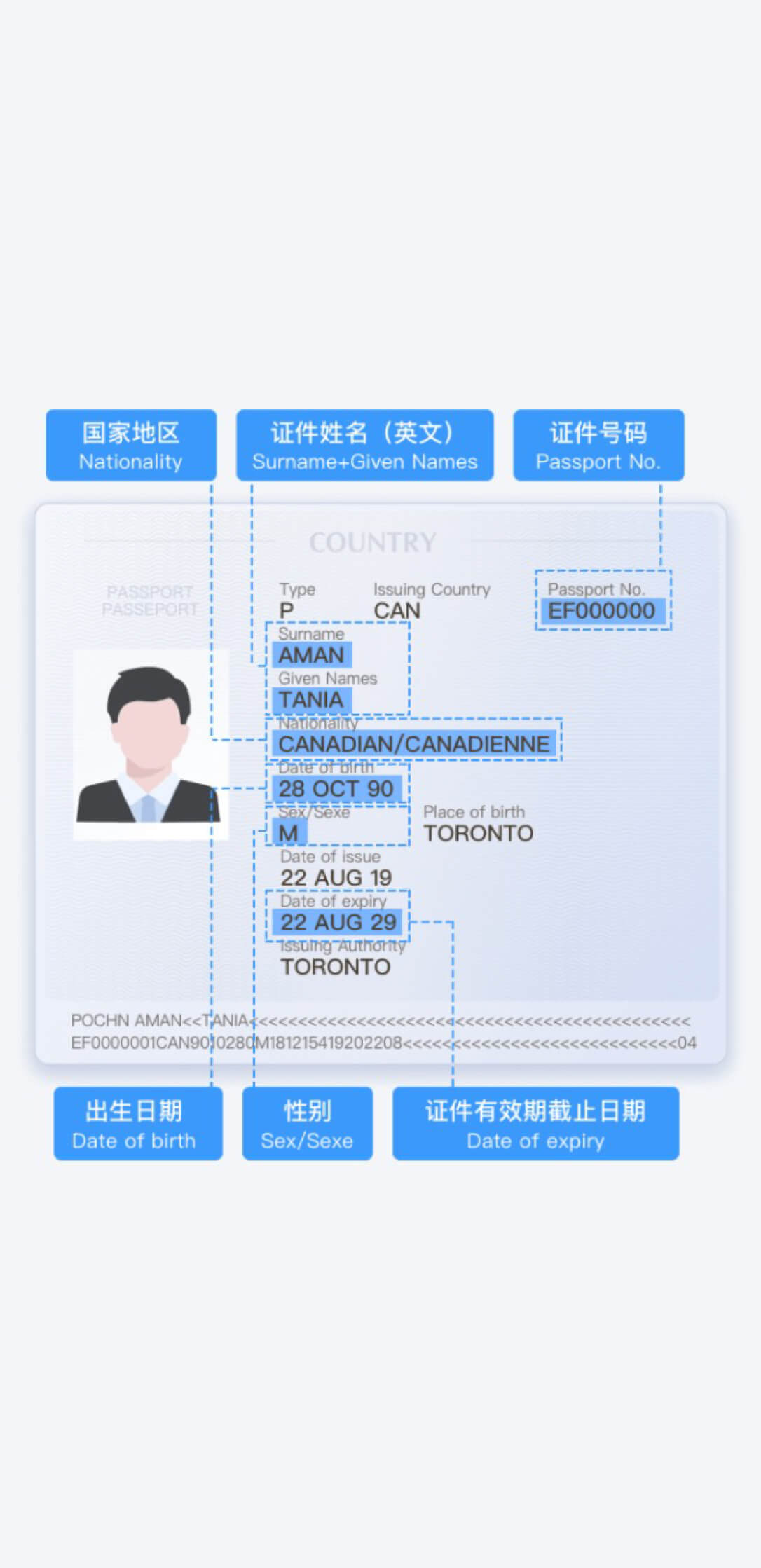
We recommend clicking "Scan to entry" to automatically fill your details by scanning your passport. Put your passport flat on a dark surface.
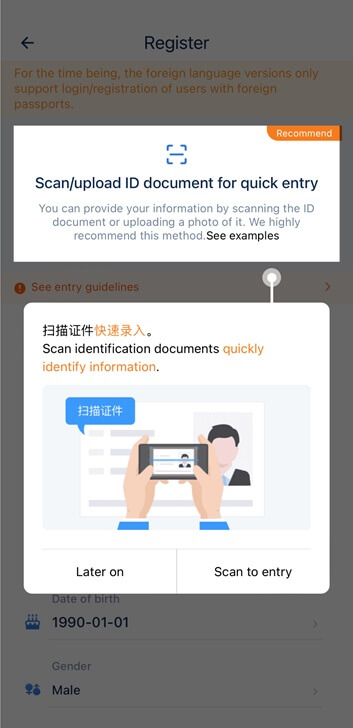

Alternatively, you can enter your details manually by clicking "Later on". Follow the on-screen guidelines to enter your passport information.
3Activate your account
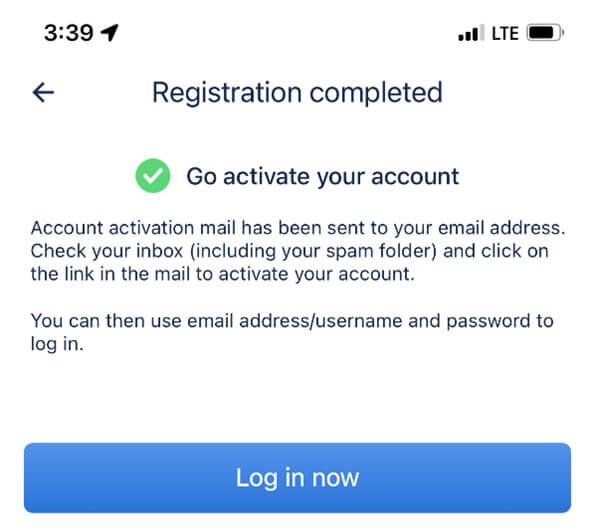
You'll see a confirmation message after registering. 12306 also sends an activation email to your inbox.
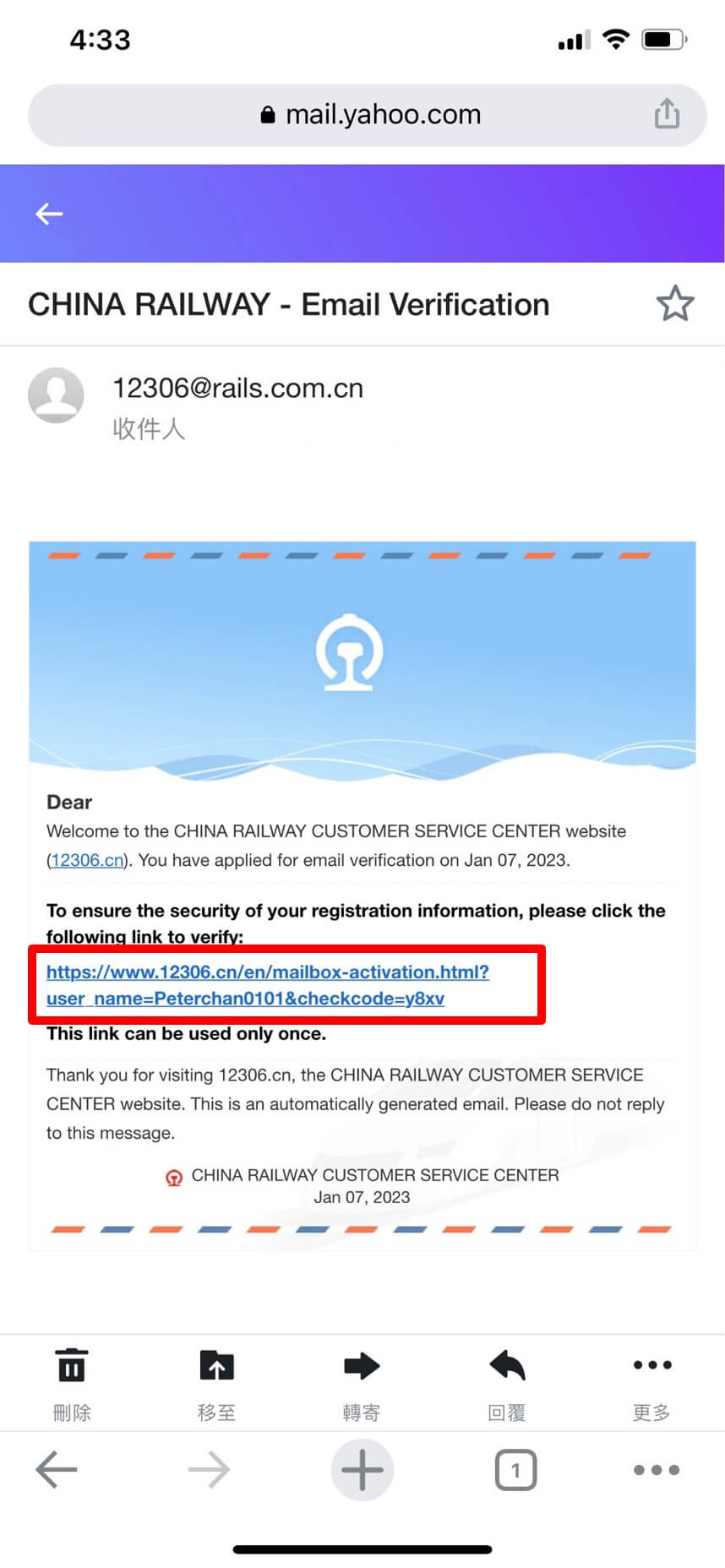
Click the link in the email to finish activating your account. You'll be taken to the 12306 home page when it works.
4Verify your passport
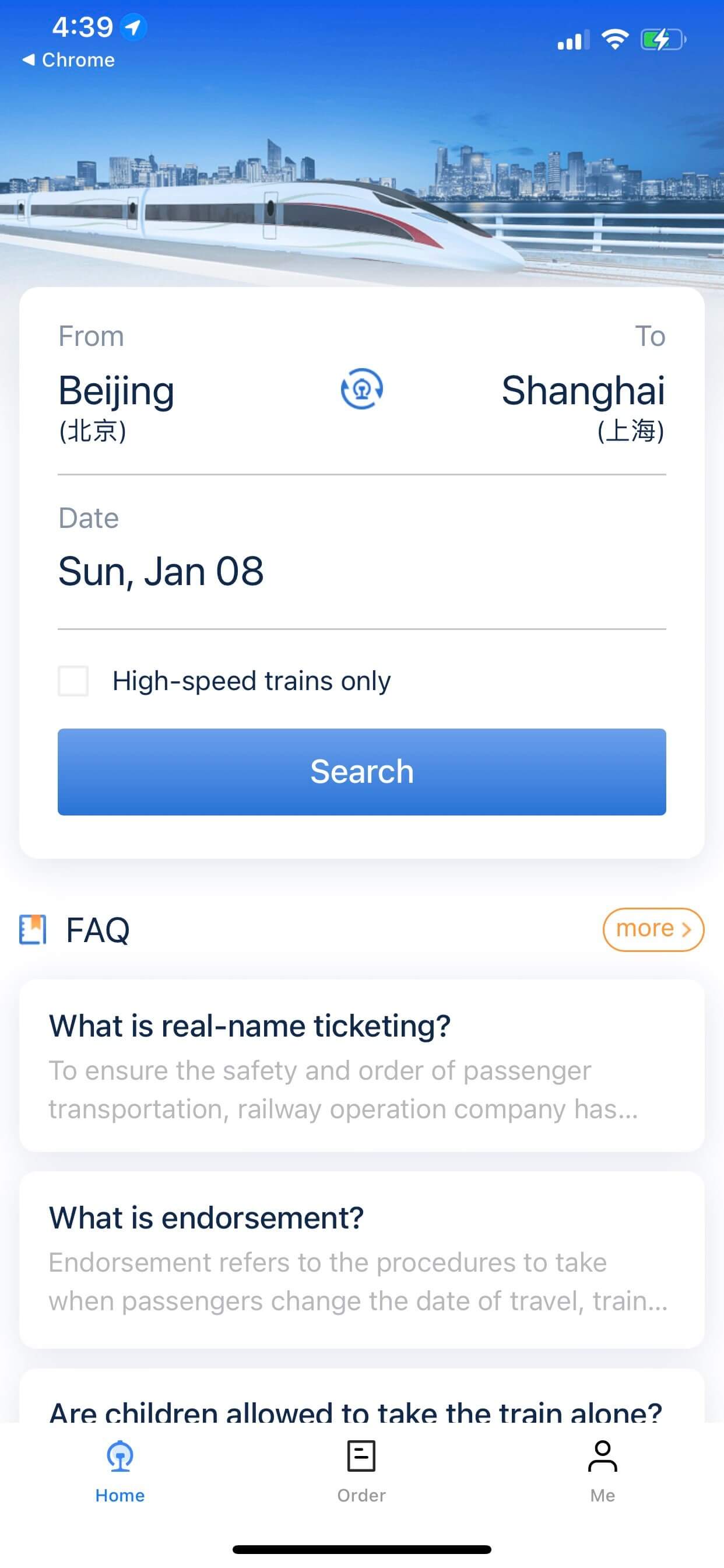
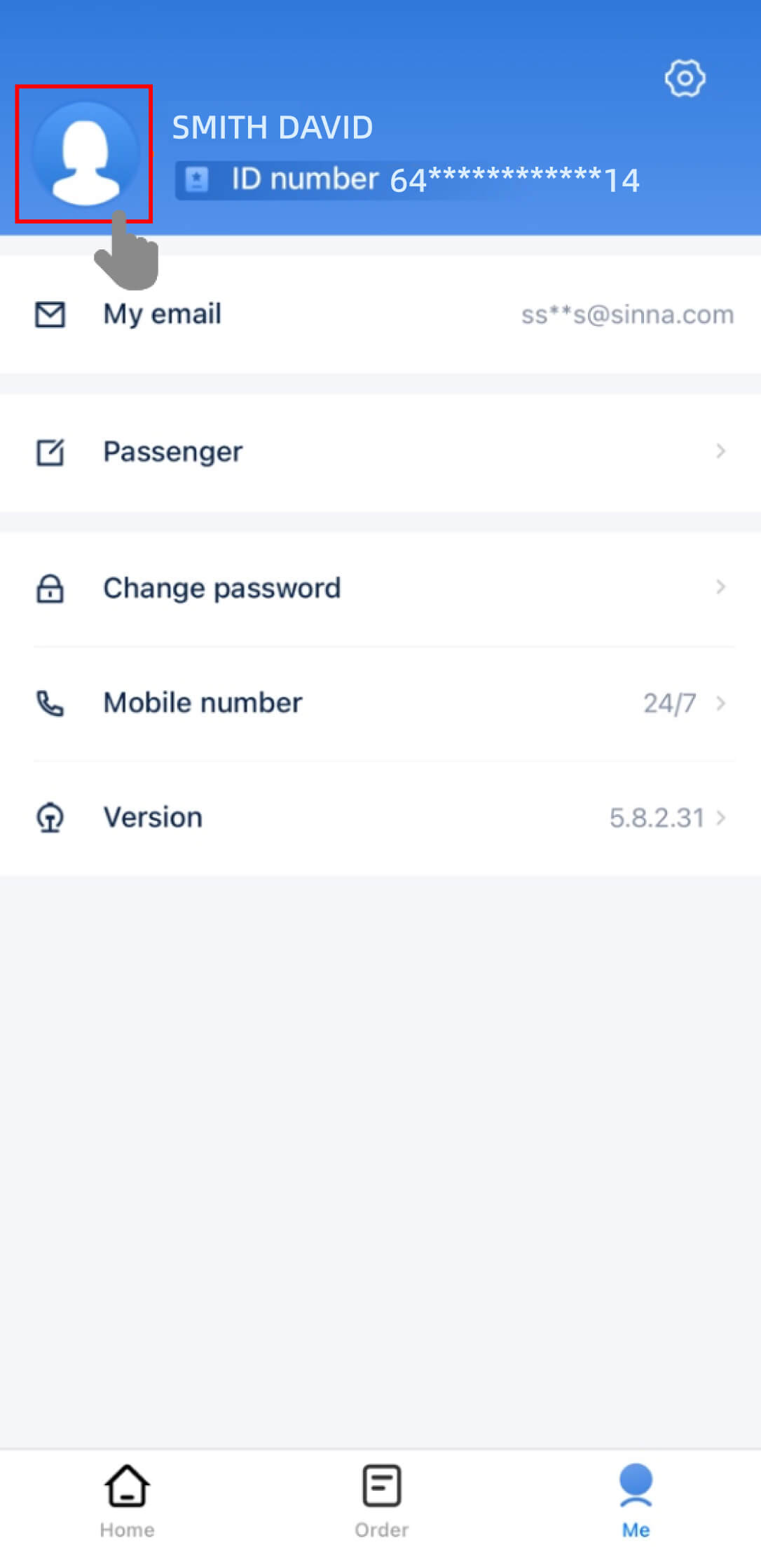
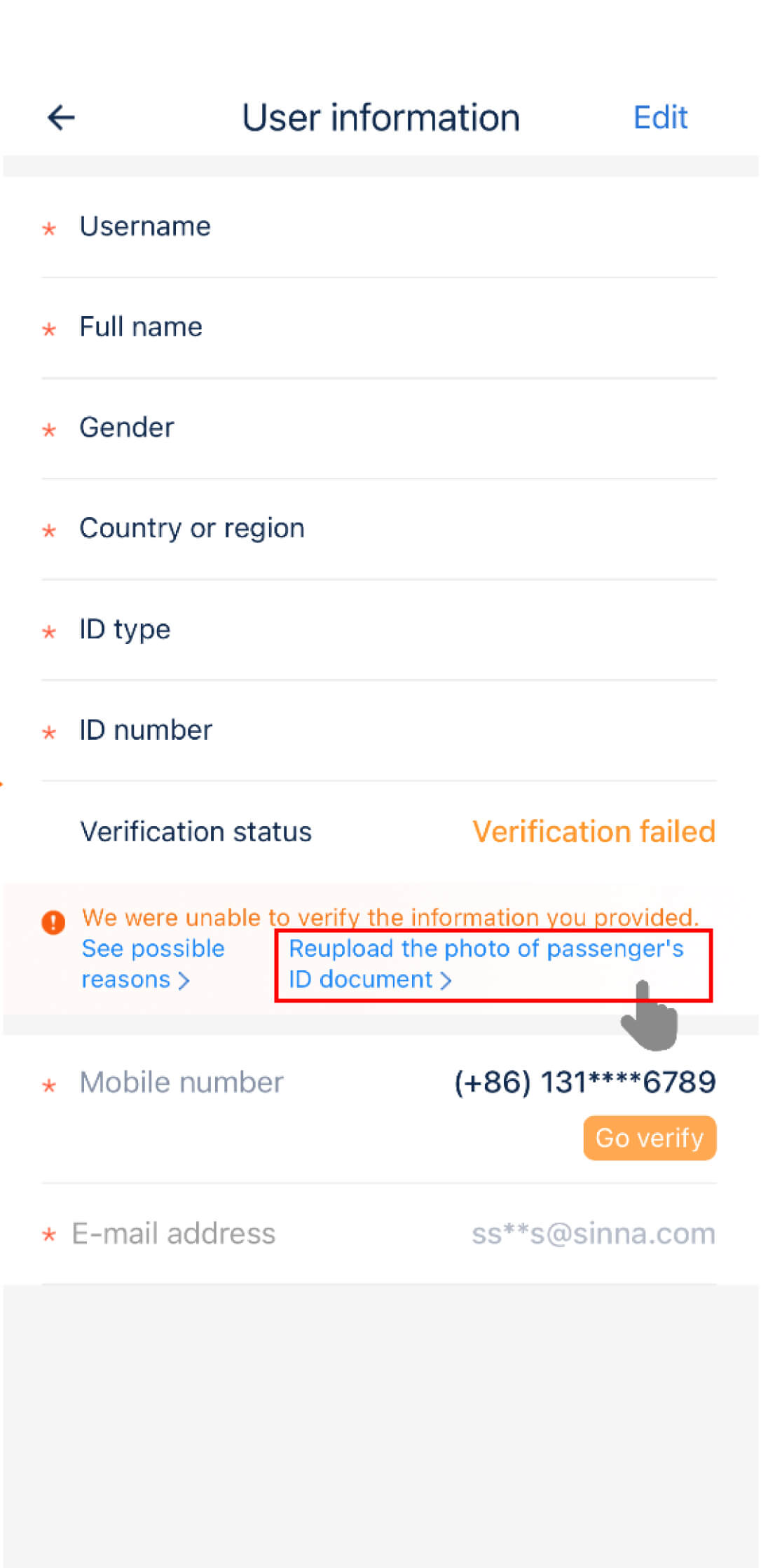
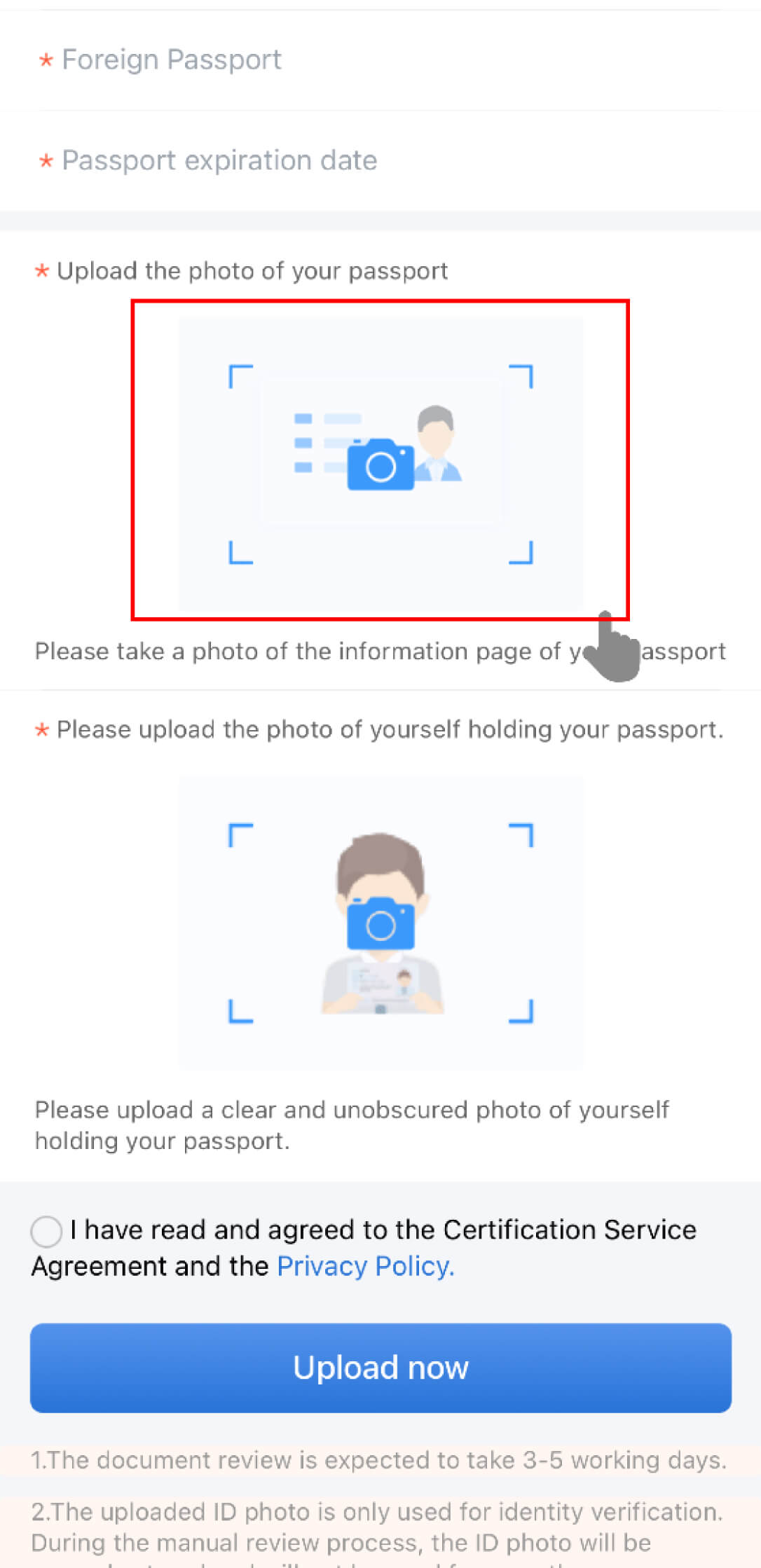
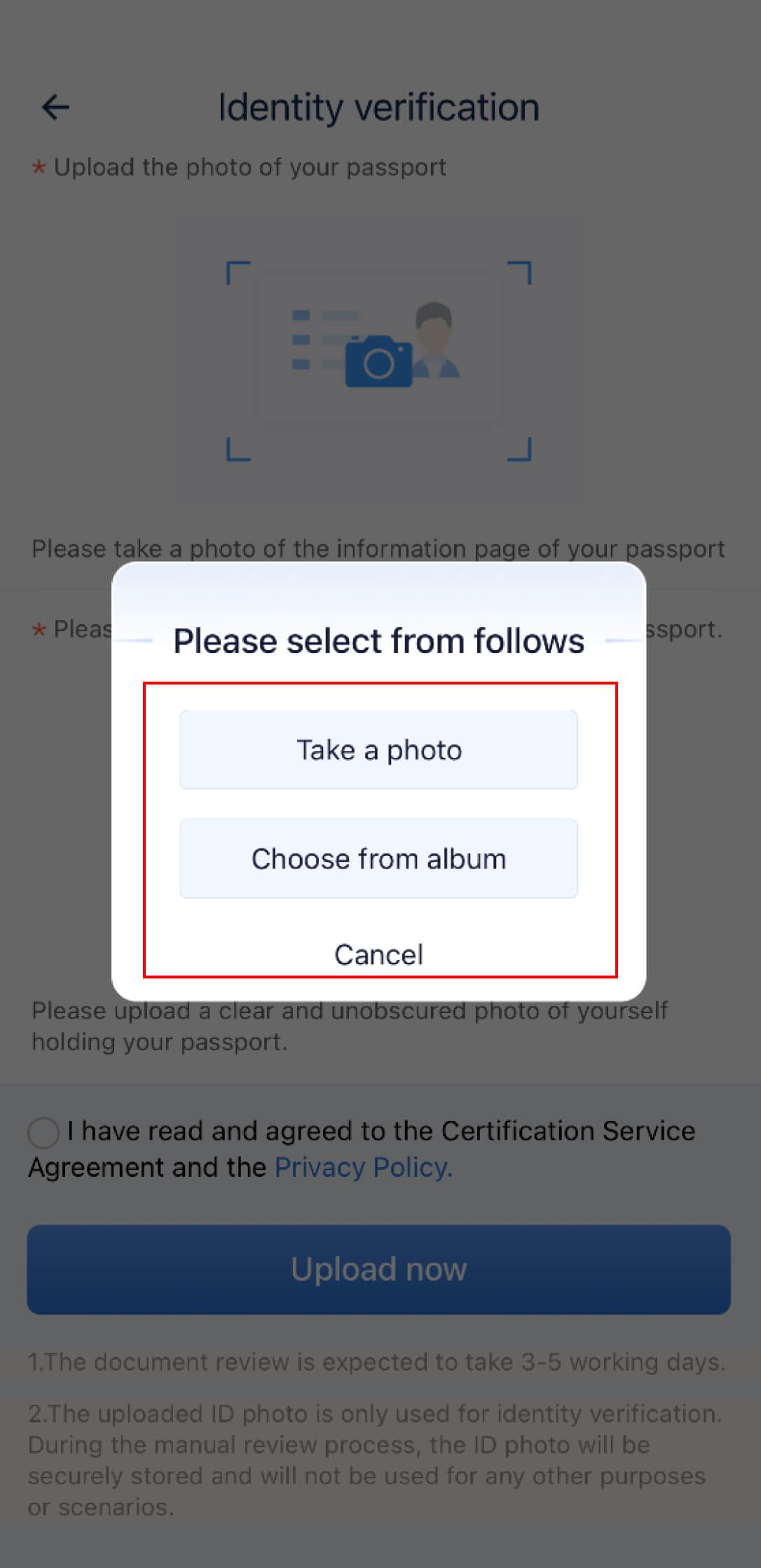
You can buy tickets once your passport is verified. Check your verification status by tapping "Me" and then the icon at the top left corner. If it shows "Verification failed," tap "Re-upload the photo of passenger's ID document" to upload a photo of your passport and a photo of yourself holding your passport.
If passport verification fails
Recheck the passport type, name order, passport number, and expiry date. Upload a clear, uncropped passport image with no glare, then follow the app prompt for the required portrait. If online verification still fails, take the original passport to a railway station service counter for help.
How to Book a Train Ticket on the 12306 English App
Once your account is ready and your passenger details are verified, follow these four steps to book.
The screenshots below show an example journey from Hong Kong West Kowloon. Your route, fares, and app screens may differ.
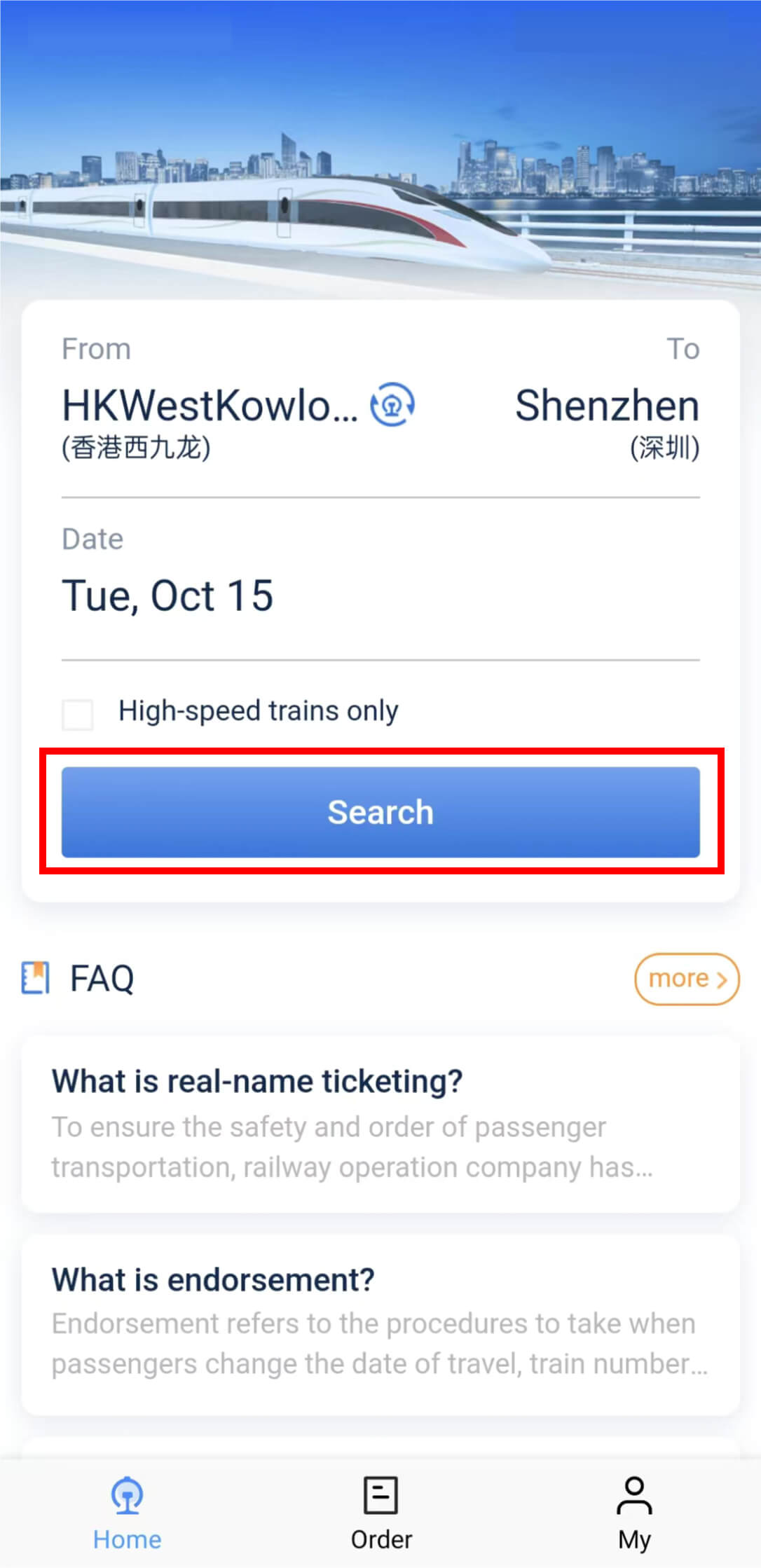
1Search your route
On the Home screen, choose your departure, destination, and travel date, then tap Search. Use the high-speed filter if that is the type of train you want.
2Choose a train and seat class
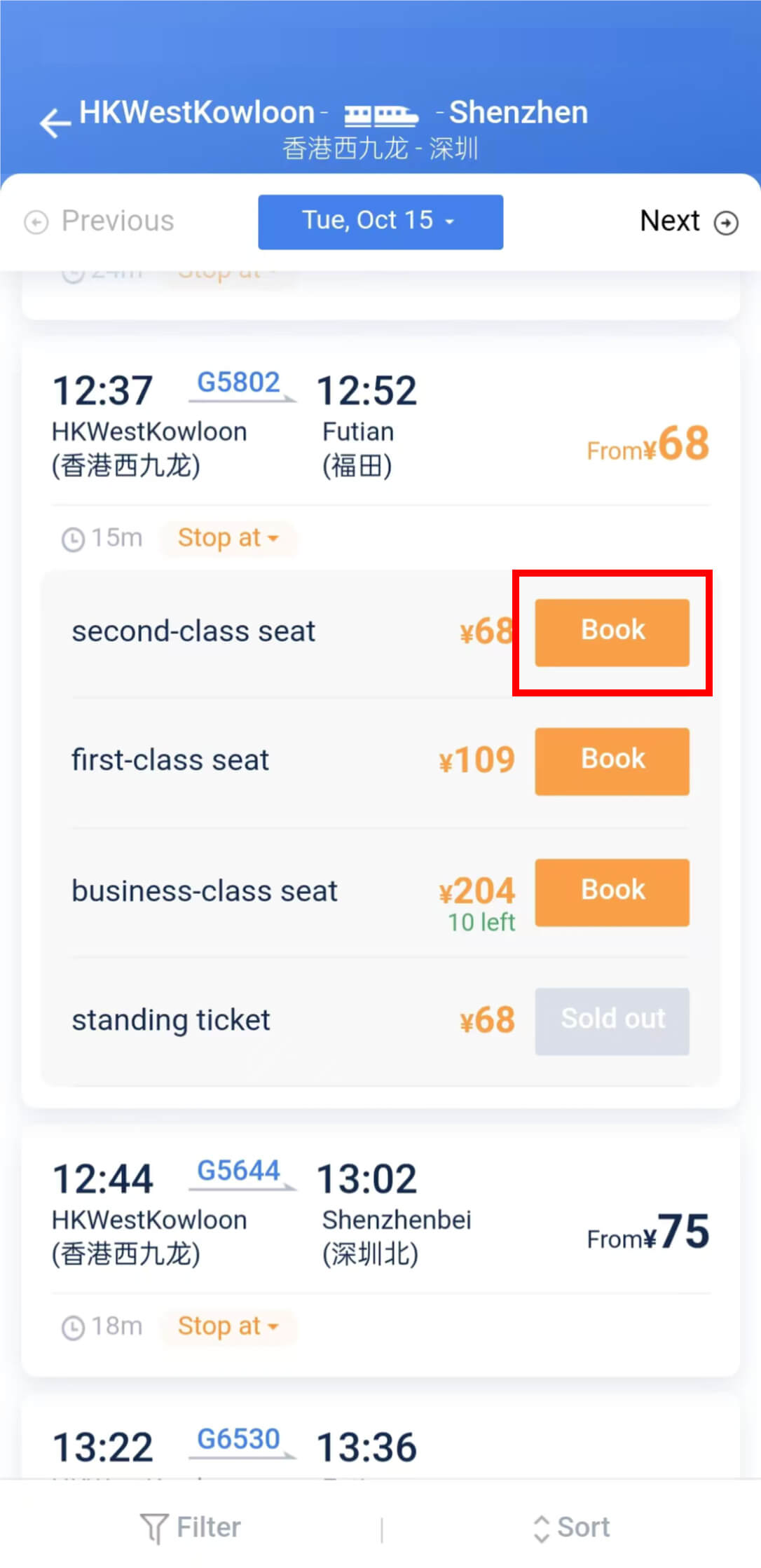
Compare the departure and arrival times, exact stations, and seat classes. Tap Book beside the class you want on your chosen train.
A Sold out label means that option is unavailable. Choose another available class or train. A standing ticket does not reserve a seat.
The fares and availability in these screenshots are examples. Use the live results for your travel date.
3Add passengers and pay
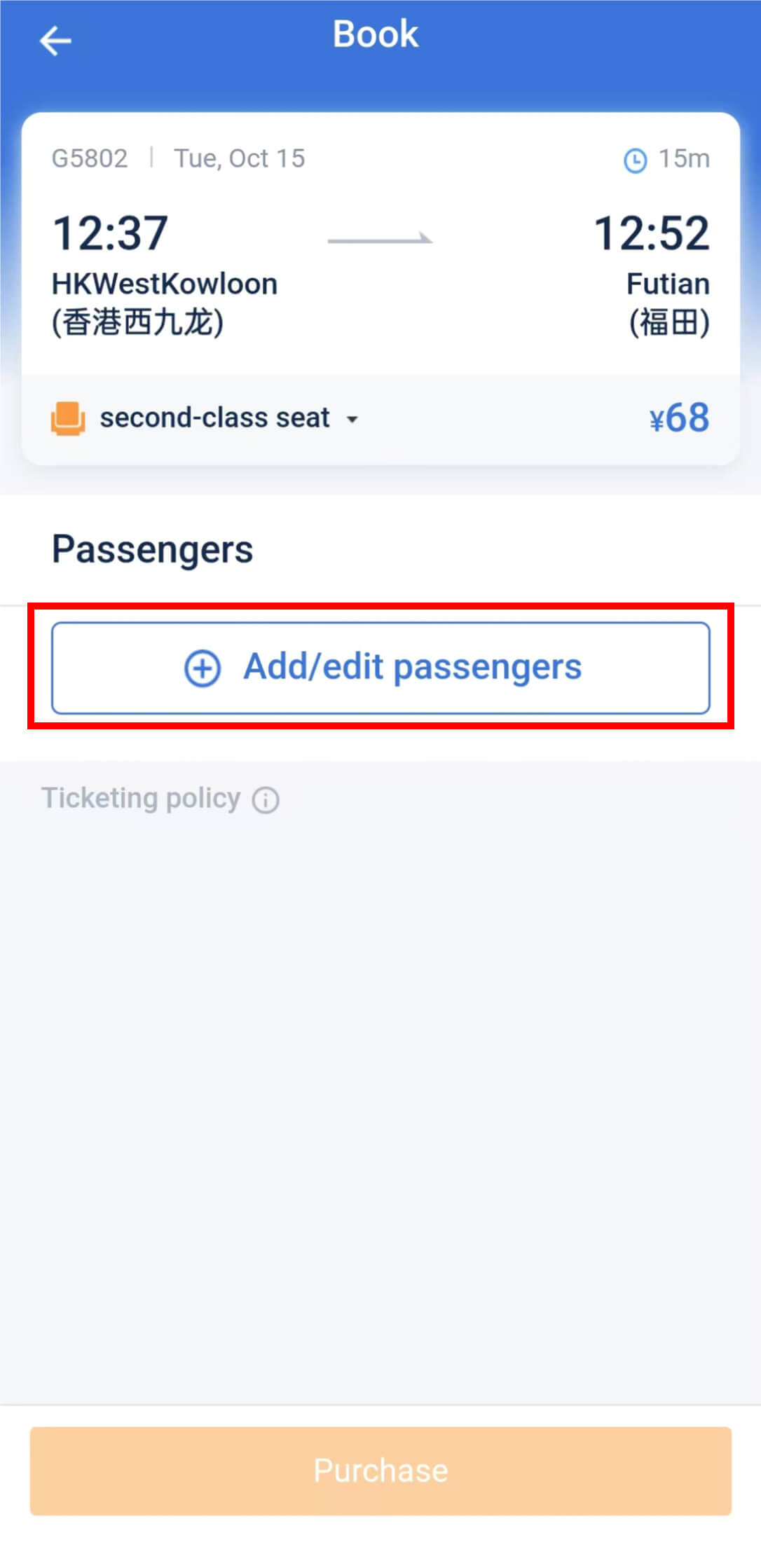
Tap Add/edit passengers and select the traveler. Check the passenger's name and passport details, along with the date, stations, train, and seat class.
Tap Purchase when the details are correct, then follow the payment instructions. Use a payment method offered on your screen and complete payment within the time shown.
Need help setting up mobile payment? See our Alipay and WeChat Pay guide.
4Check your ticket in Order
After payment, open Order and check that the booking is confirmed. Review your passenger details and journey; for a reserved-seat ticket, check the assigned coach and seat.
Save your journey details for offline reference. For what to bring and how to enter the station, continue to the boarding guide.
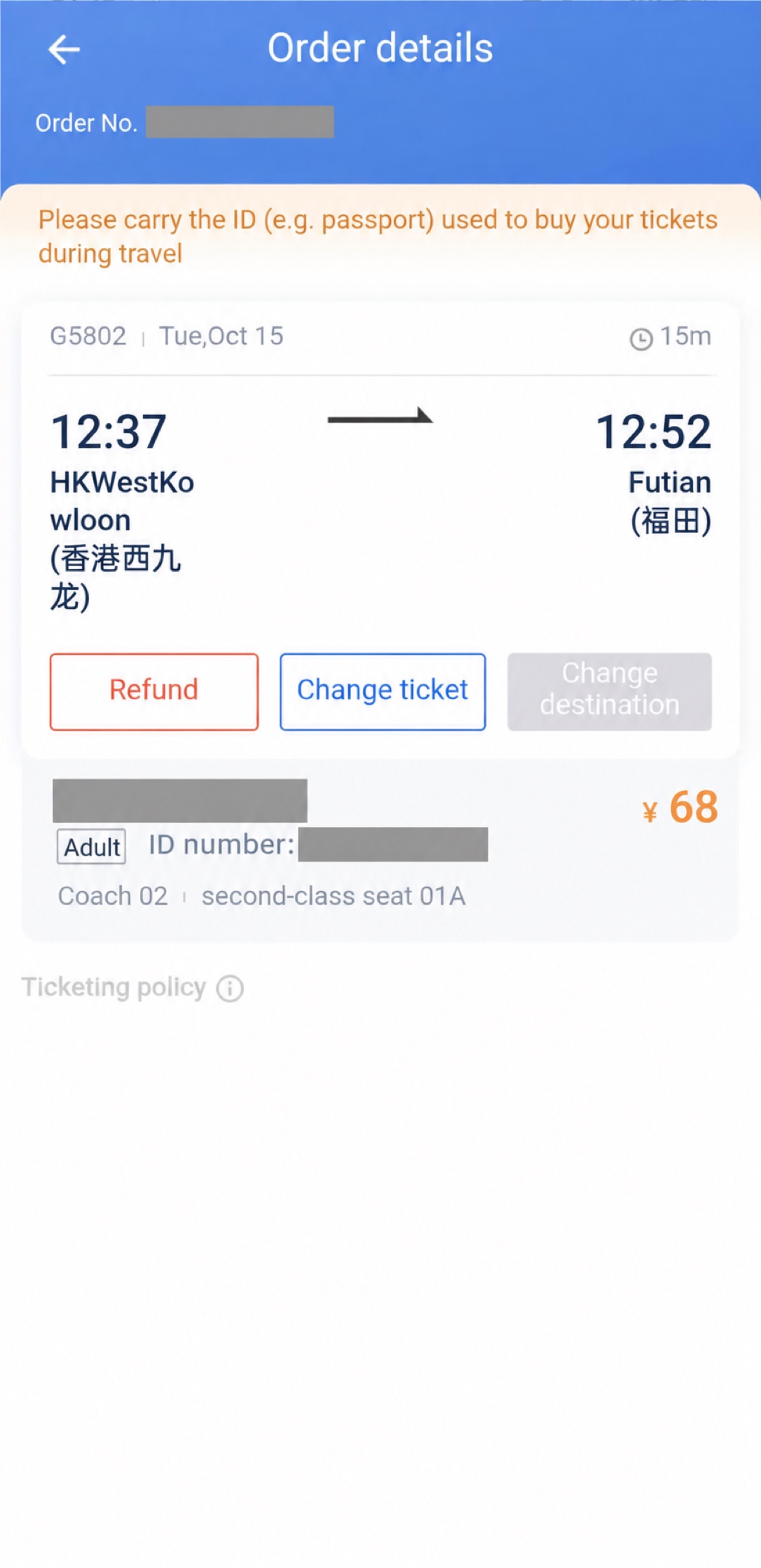
Screenshot examples: EasyTrip China. For passenger and ticketing rules, see the official 12306 FAQ.
How China Train E-Tickets Work for Foreign Passport Holders
A China Railway e-ticket is linked to your passport — you don't need a paper ticket. Just use the same passport you booked with to enter the station, board the train, and exit at your destination.
Before leaving for the station
- Carry the original passport used for the booking.
- Check that the passenger name and passport number match the booking.
- Confirm the travel date, departure station, train number, coach, and seat.
- Save the booking confirmation offline for quick reference.
A printed itinerary or receipt is not a ticket — you can't use it to board. Keep it only if you need the trip details or an expense record.
If an automatic gate does not read your passport, show your passport and booking details to station staff and follow signs for the staffed inspection channel. Arrive early enough to handle this without rushing.
These boarding rules come from the official 12306 passenger FAQ.
China Train Tickets FAQ
What is the best China train app for foreigners?
Trip.com is usually the easiest China train app for first-time foreign visitors because it has English booking, foreign card payment, and support. 12306 is the official China Railway app and is best once your passport verification and payment setup are ready.
Can foreigners use the 12306 app?
Yes. Foreign passport holders can register on 12306, switch the app to English, and buy train tickets after account activation and real-name passport verification.
Do foreigners need a paper train ticket in China?
No, not normally. China Railway e-tickets are linked to the valid passport used for the booking. Carry that original passport to enter and exit the station and board the train. An itinerary sheet or reimbursement receipt is not a boarding ticket.
What document do I show at a China train station?
Show the original valid passport used to buy the ticket. Keep your booking confirmation available so you can check the date, departure station, train number, coach, and seat or show the details to staff if an automatic gate cannot read your passport.
Is Trip.com easier than 12306 for China train tickets?
Usually, yes. Trip.com is often easier for first-time visitors because it has an English booking flow, foreign card payment, and customer support. 12306 is still the official railway channel and is better once your account is verified.
Do I need passport verification before booking?
For 12306, yes. You need real-name verification for your passport before the app can issue tickets normally. Trip.com can be easier if you need to book before finishing 12306 verification.
Can I use 12306 without a Chinese bank card?
Many foreign visitors use Alipay or an accepted linked card for China train tickets, but payment reliability can vary by card and account setup. If payment fails on 12306, use Trip.com or a station counter as a backup.
Can I buy high-speed rail tickets after arriving in China?
Yes, but it is better to book early for popular routes, holidays, and weekend departures. You can buy at a station counter with your passport, but online booking through 12306 or Trip.com gives you more control.
Related China Travel Setup Guides
Continue your China travel check
Next checkCan you show key information in Chinese?Prepare translation tools and addresses before you need help at a station.Back to travel essentialsLast updated: October 7, 2026